How do I add a RSS feed as a source?
Livesignage allows you to integrate RSS feeds as a source to automatically update slides with news, headlines, real-time updates, or editorial content.

Important note: the RSS feed must be in version 2.0 format to ensure compatibility.
1. Add a new source
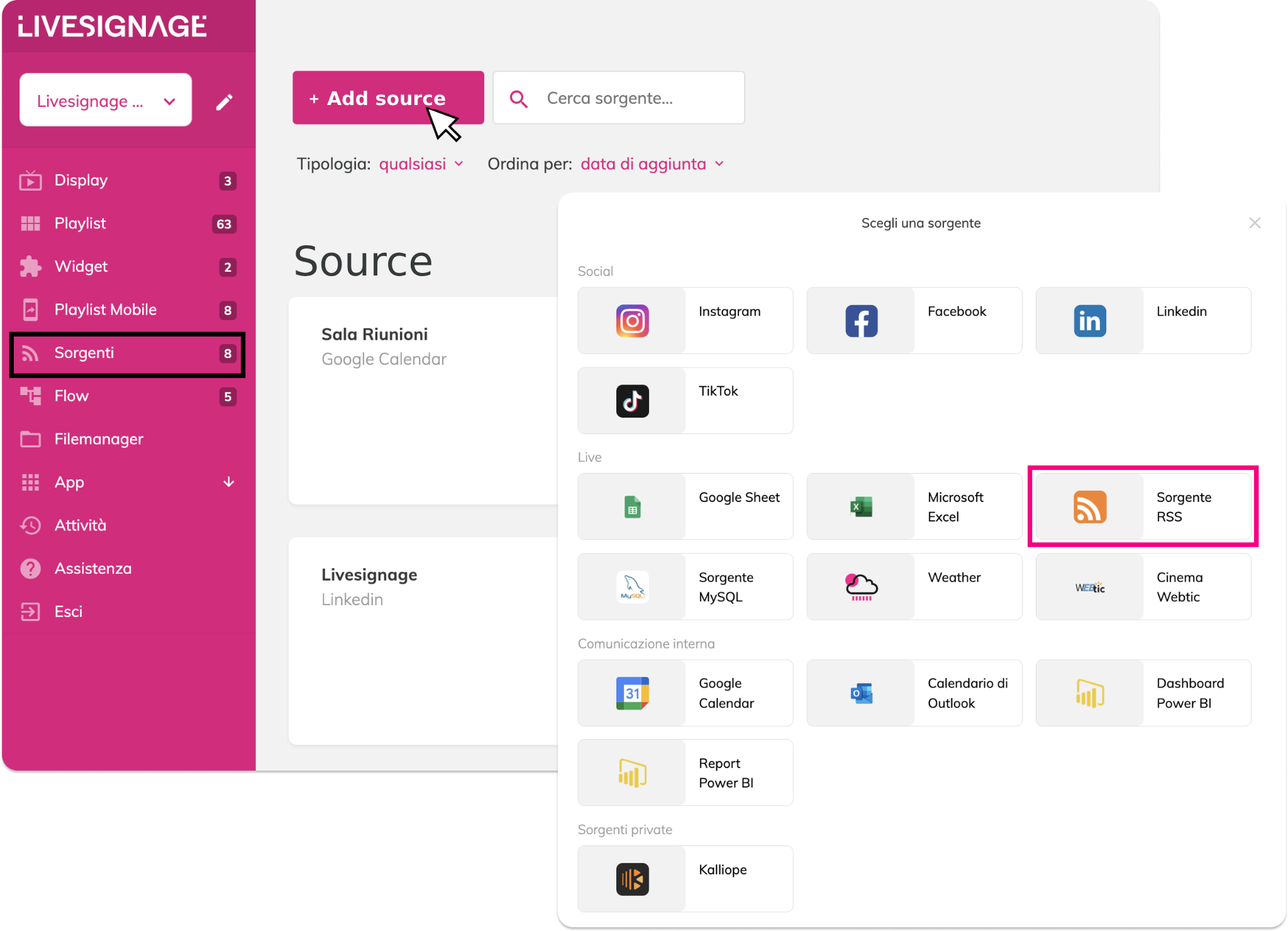
Go to the Sources menu and click on + Add source. Select RSS Source from the list.
2. Enter the RSS feed URL
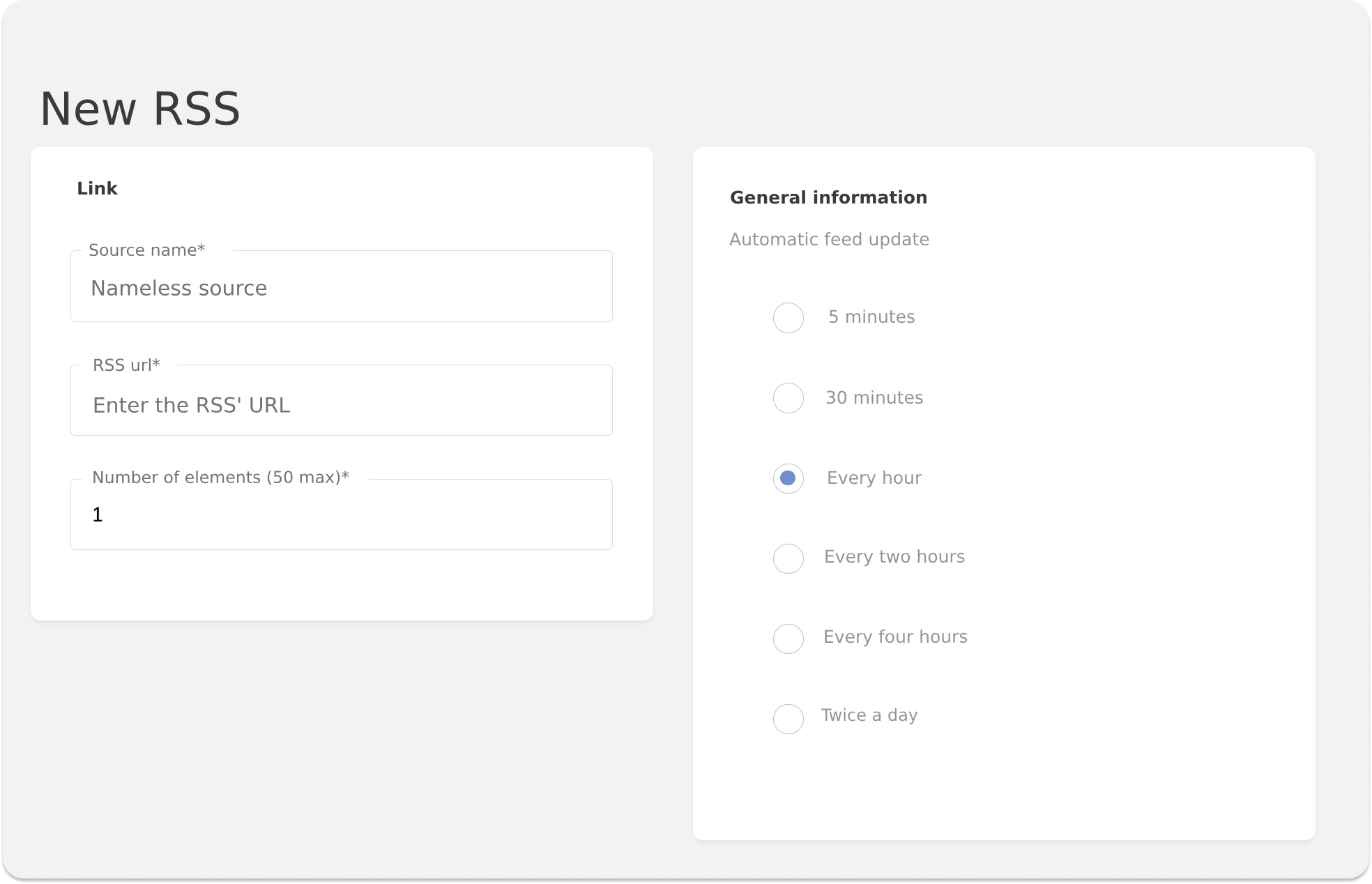
In the form:
Give the source a name
Enter the RSS feed URL (it must be public and accessible)
Specify the maximum number of items you want to display (up to 50)
3. Choose the update frequency
You can choose how often to update the feed data:
Every 5 minutes
Every 30 minutes
Every hour
Every 2 / 4 hours
Twice a day
Source owner
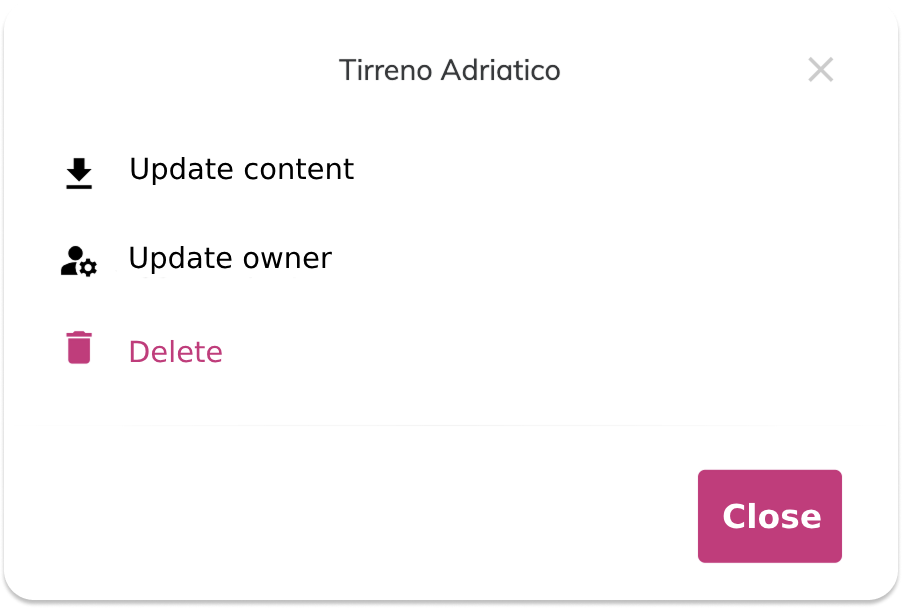
Refresh the content (force a manual refresh of the feed)
Change the owner: useful in multi-account environments to assign source management to another team member
Delete the source if no longer needed
These actions are accessible directly from the Sources panel in the dashboard.
Use the RSS source in slides
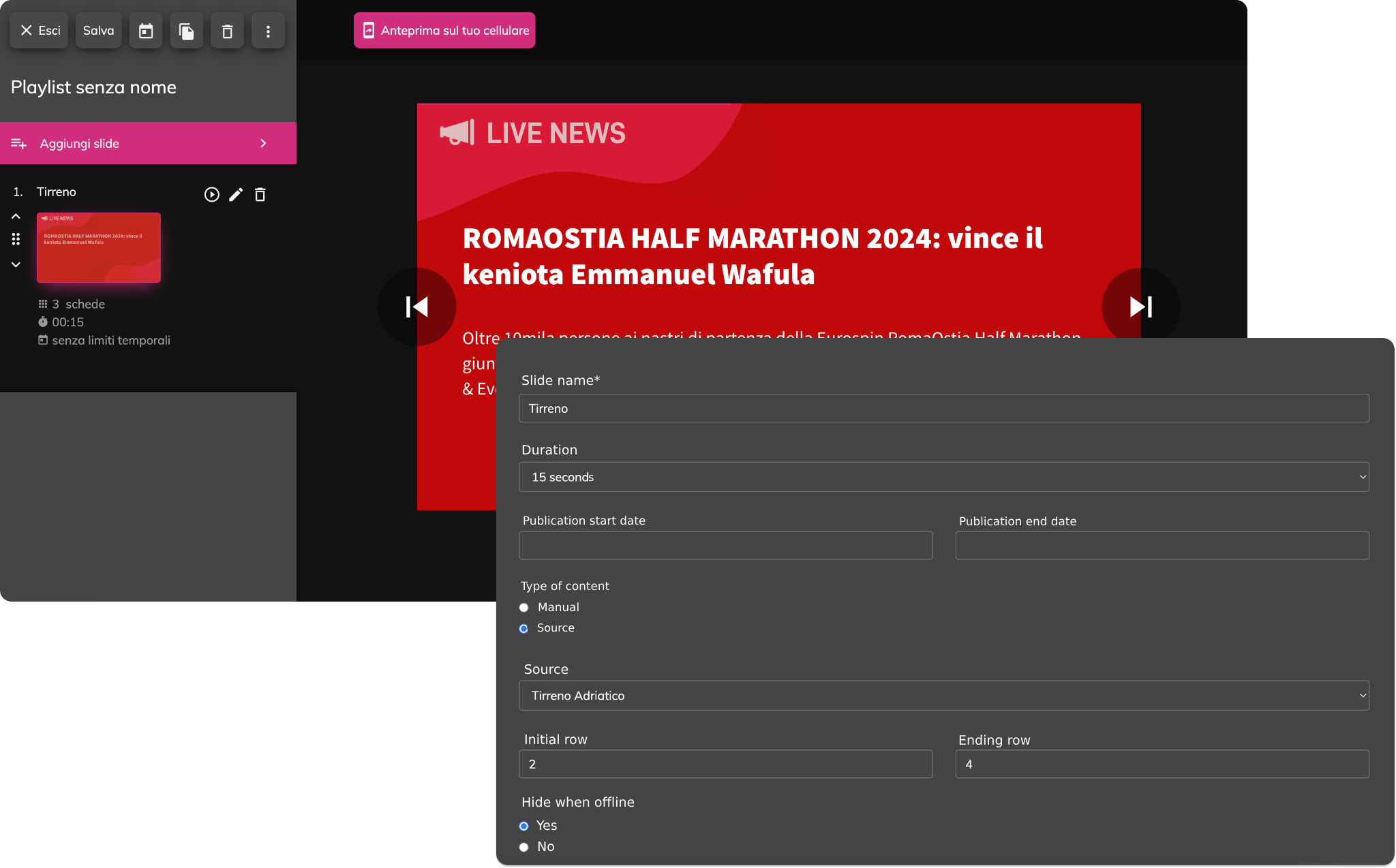
- Add or edit a slide in a playlist
- Select Content type → Sources
- Choose the created RSS source
- Set the rows to display (e.g., from 2 to 4)
The system will use the information contained in the selected cells to fill the template fields (such as text, images, prices, etc.).
When you activate this mode, each template field will show an additional button called automatic. By clicking it, you can link that field to an RSS feed field.

When to use an RSS feed? RSS feeds are ideal for:
Displaying news updated in real-time
Showing editorial content from partner sites
Automating communication without manually modifying content